Pixel art studio · v1.1

Photo to pixel art, with AI.

Pixora turns pictures, words and ideas into pixel art, and keeps every sprite, tile and level of your game in one project. On Mac, iPad and iPhone.

iPhone · iPad · Mac  —  free, Pro is one purchase

Try it · 16 × 16 —
PICO-8 palette, like in the app. ·
1Any picture → pixel art

Drop in a PNG. Get real pixels.

Photos, drawings and screenshots become crisp, editable pixel art in seconds, not a blurry filter you can't touch.

  • Pick the size, palette and dithering, and see the result live.
  • Remove the background with on-device Vision.
  • Cut sprite sheets and GIFs into frames, or open your Aseprite files.
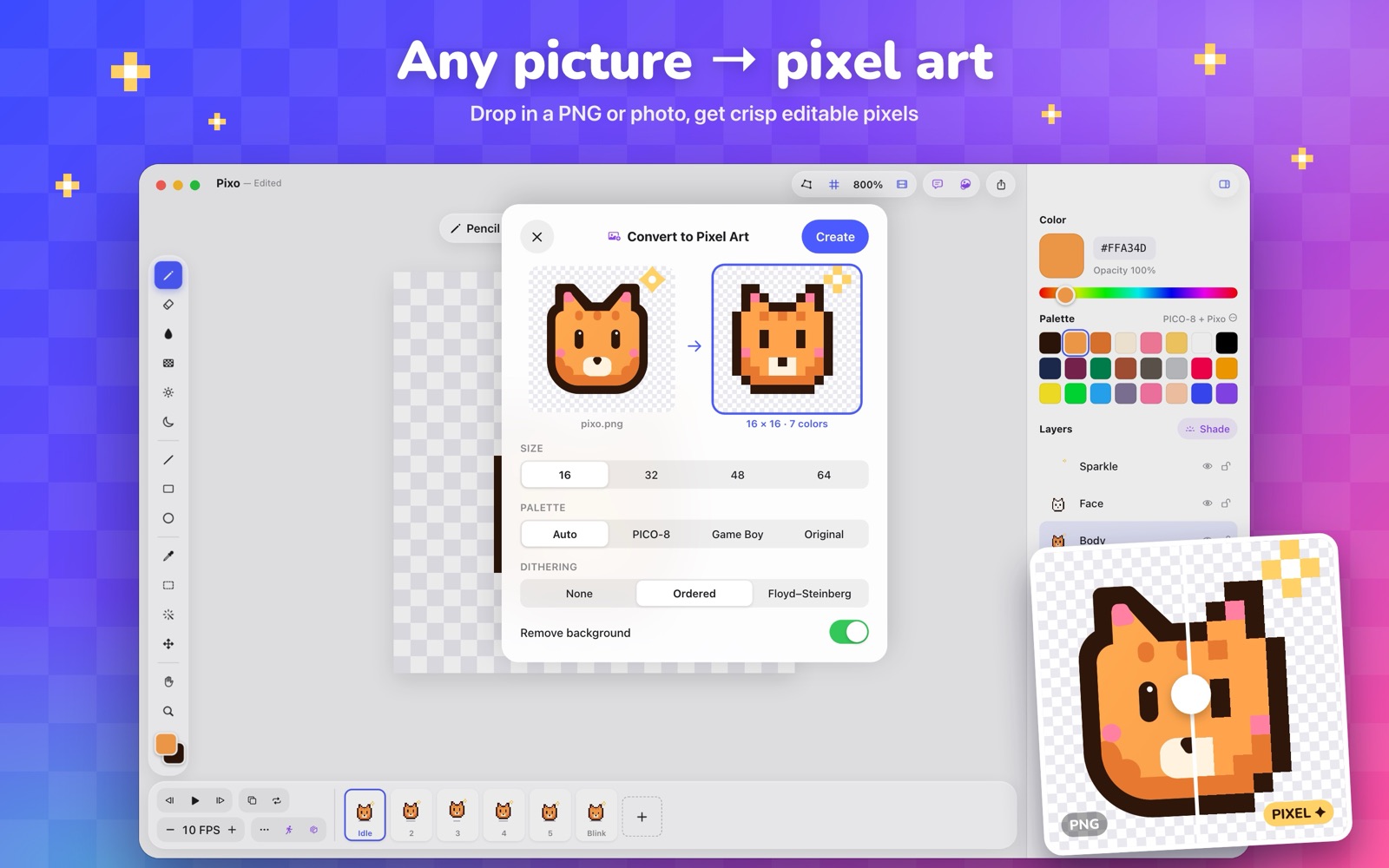
Pixora turning pixo.png, a smooth drawing, into a 16×16 pixel sprite
2Apple Intelligence

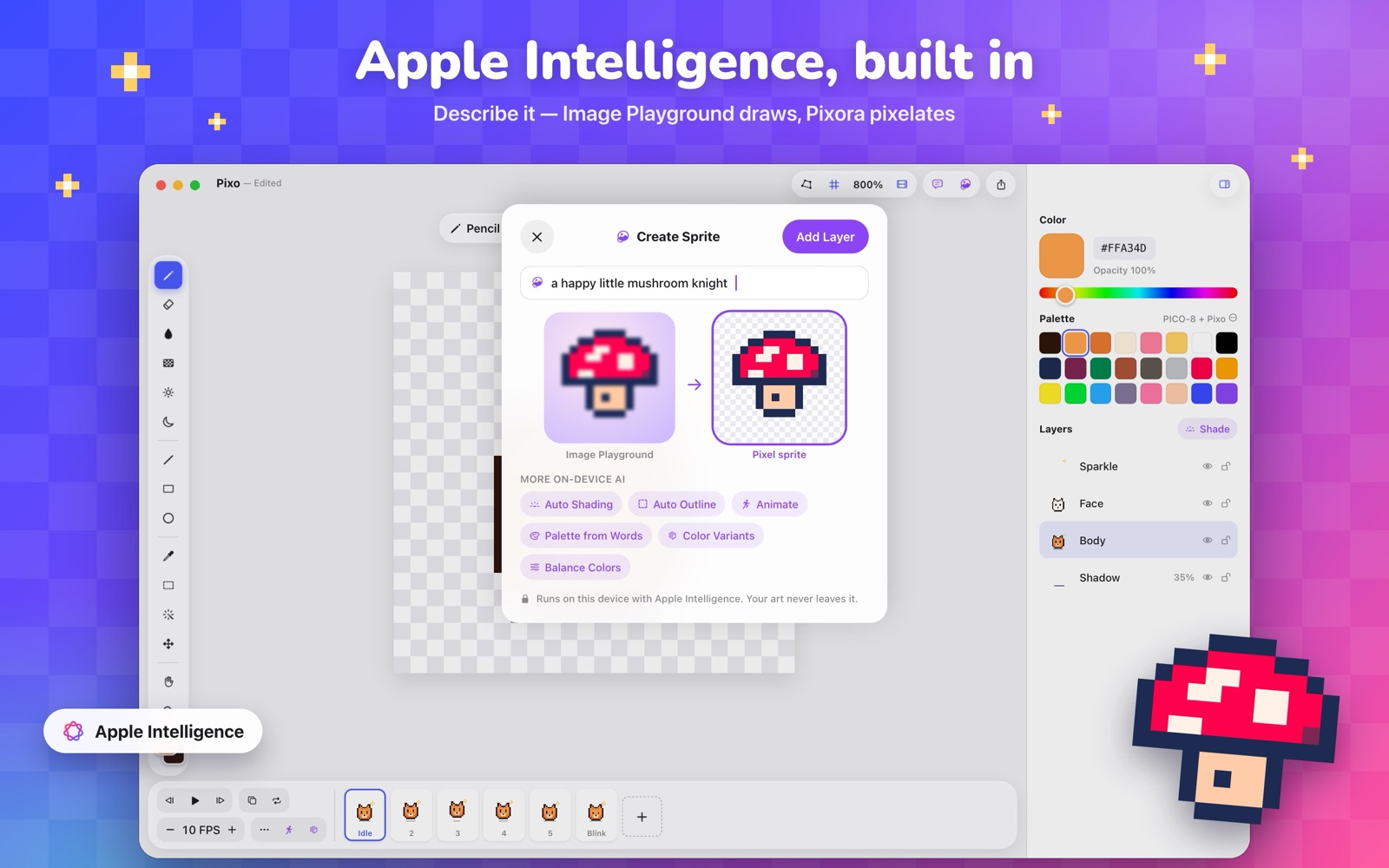
Describe it. Pixo draws it.

AI tools sit right where you need them, with a preview before anything changes, and every edit is one undo.

  • Create Sprite: Image Playground draws it, Pixora turns it into pixels.
  • Auto Shading, Outline, Balance Colors and Color Variants.
  • Animate a still sprite, or get a palette from a few words.

Private by design. It runs on your device. Your art never leaves it.

Create Sprite generating a pixel-art character from a sentence
3Connect your own AIPRO

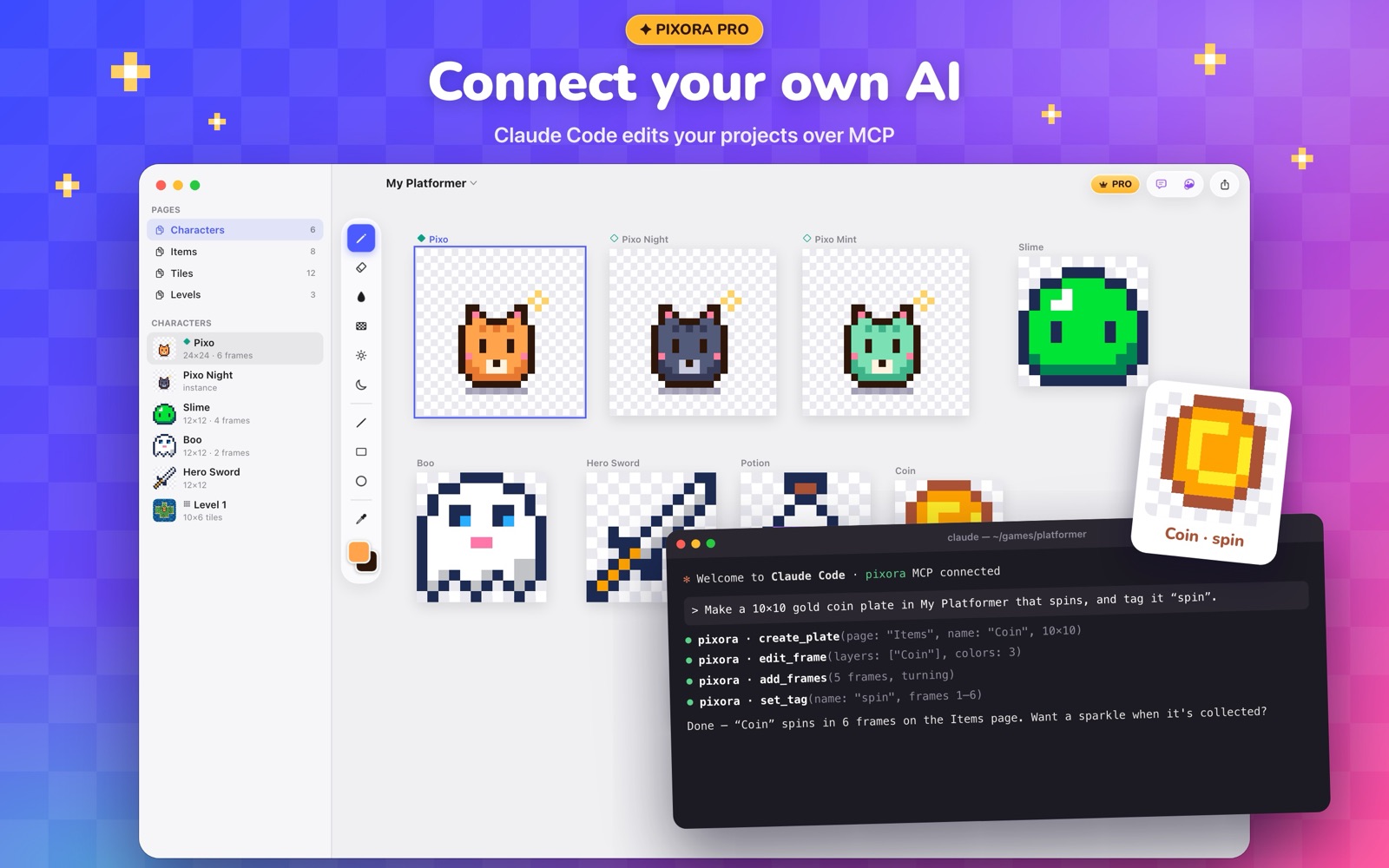
Claude edits your projects.

On Mac, Pixora speaks MCP. Claude Desktop and Claude Code read your sprites as pixel data and builds plates, frames, tags and tilemaps for you.

  • Bring your own key: Claude, ChatGPT, Gemini, Grok, Mistral, DeepSeek, OpenRouter or local Ollama.
  • AI In-betweens: pick two poses, get the frames between.
  • AI Tilesets and Turnaround for terrains and character sides.

One click for Claude Desktop, one command for Claude Code: setup guide →

Claude Code creating a spinning coin plate in Pixora over MCP
4Your whole game, one project

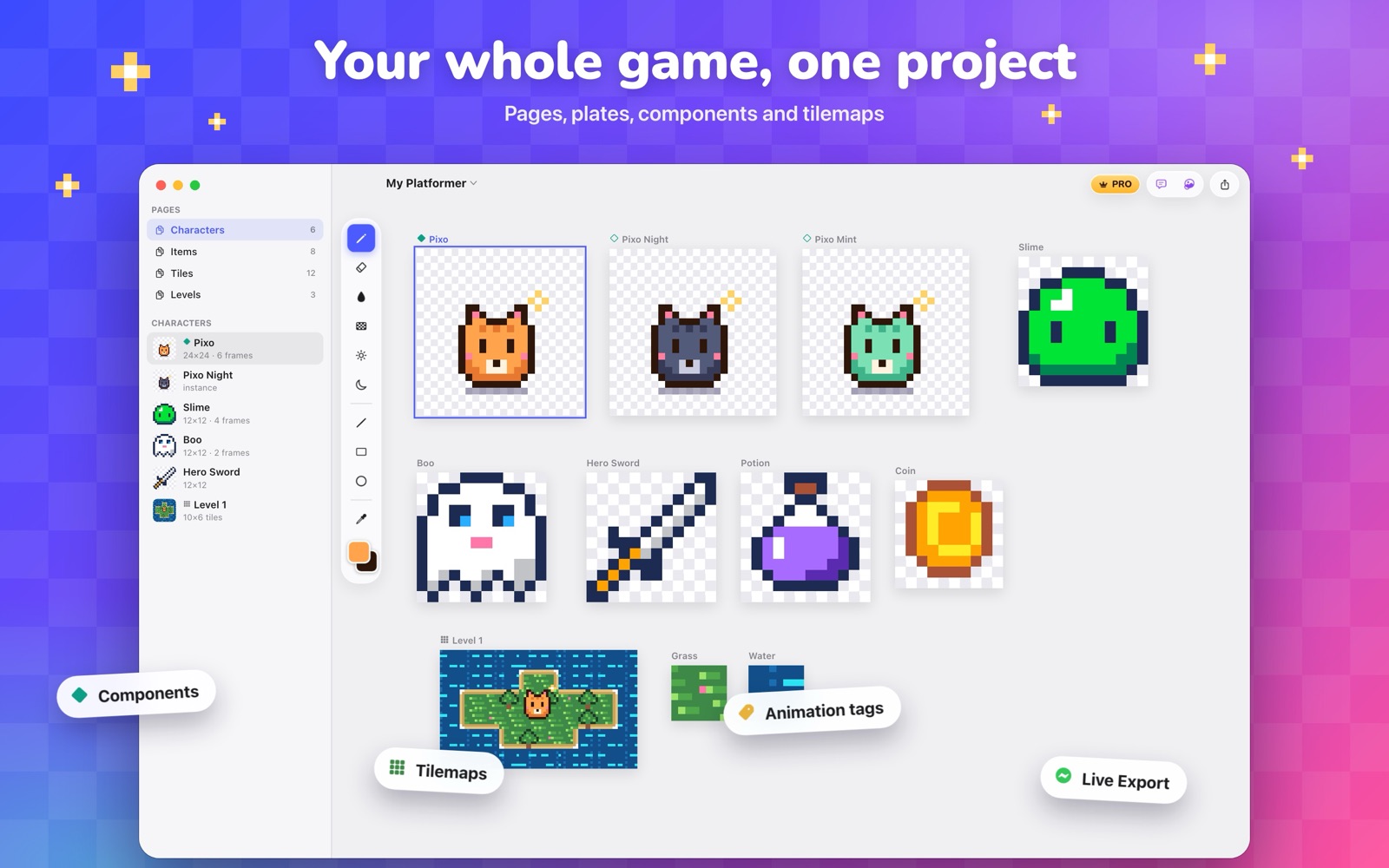
Characters, items, tiles and levels, side by side.

Pages and plates work like artboards, so every sprite of your game lives in one place and stays in sync.

  • Components and instances: draw once, recolor or mirror per instance.
  • Tilemaps with layers, collision, animated tiles and auto-tiling terrains.
  • Live Export writes changed sprites and Tiled maps into your Godot or Unity project.
A Pixora project with pages for characters, items, tiles and levels
30 seconds

See Pixora in action.

The editor

Everything a sprite needs, and nothing in the way.

Pixel-perfect tools, layers and a real timeline. Every change is one undo away, and projects save themselves as you draw.

Draw

Pixel-perfect tools

Pixel-perfect pencil, fill, dither gradients, shading ink, shapes, symmetry, custom brushes and RotSprite rotation without blur.

Animate

A timeline with tags

Frames with timing, onion skin, and tags for idle, walk and attack, played forward, reverse or ping-pong.

Color

Palettes that shade

Indexed palettes, hue-shifted color ramps, recent colors and one-tap color swaps across every layer and frame.

Levels

Tilemaps and terrains

Paint levels from your tiles. Terrains pick the right edge for you, and animated tiles play in place.

Workflow

Quick Actions (⌘/)

Every command one search away, plus reference pictures, iCloud sync and a window per project on Mac.

Export

Ready for any engine

PNG, GIF, sprite sheets with JSON, tilesets, Tiled maps and Aseprite files for Unity, Godot, Phaser and more.

PIXORA PRO

One purchase. No subscription.

Everything on this page is free, except the AI that runs on your own key. Pro is a one-time purchase, shared with your family.

  • Your own AI with Claude, ChatGPT, Gemini and more
  • Claude Desktop and Claude Code over MCP on Mac
  • AI In-betweens, AI Tilesets and Turnaround
  • Midnight Gold app icon
One app, three screens

Made for each device you draw on.

iPhone

Sketch anywhere

  • Pinch to zoom, two fingers to pan
  • Two-finger tap to undo, three to redo
  • Inspector in a sheet, out of the way
iPad

Pencil-first

  • Double-tap Apple Pencil for the eraser
  • Tools, inspector and timeline side by side
  • Hold Space with a keyboard to pan
Mac

Keyboard-fast

  • Every tool on a single key
  • Scroll to pan, ⌘-scroll to zoom
  • A window per project
BPencil EEraser GFill JDither OLighten KDarken URectangle CEllipse WMagic wand SpacePan ⌘KLast AI tool ⌘/Quick actions
Download

Get Pixora on your devices.

Pixora is on the App Store for iPhone, iPad and Mac. Want the newest features first? Join the TestFlight beta: install TestFlight, open the invite link, and send feedback right from the app.

iOS 27 · iPadOS 27 · macOS 27 AI tools need Apple Intelligence